How To Pay LESCO Bill Online – Easy Way

If you are worried and don’t know any method to pay lesco bill online no need to worry. In this article, you are going to learn about the easiest methods that you can use to do your lesco bill payment online. Methods that you are going to learn are given below.

  • JazzCash App
  • Easypaisa App
  • UBL Digital App

Lesco Bill Pay

Normally we use physical methods to pay lesco bill. Because of the advancement in technology, you can easily pay your bill while sitting home. All you have to do is have access to a smartphone and you are good to go. Below you will get all detailed methods which you can follow and pay your wapda bill online today.

Pay LESCO Bills Online

Many apps are providing service of online LESCO bills payment. We will start from the easiest once which is JazzCash and this service is available all over Pakistan.

JazzCash App

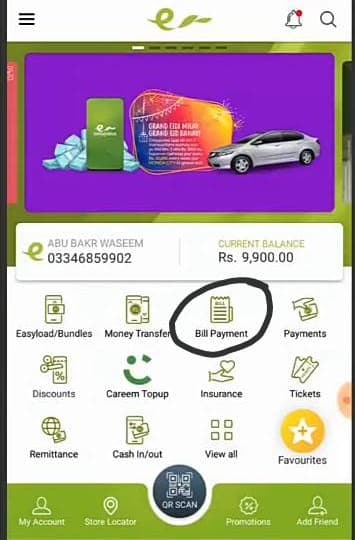
How To Pay LESCO Bills Online Via JazzCash App.


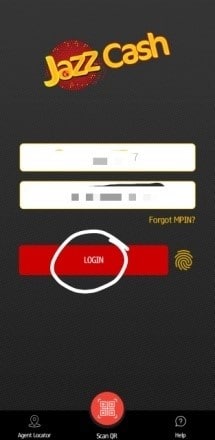
  • Install JazzCash app from the app store.
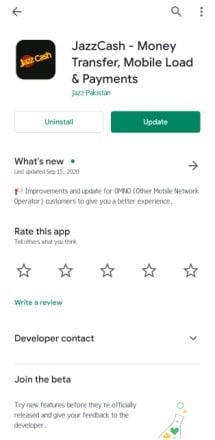
  • log in or create a new account.

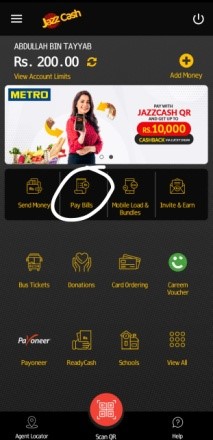
  • Click “Pay Bills”.

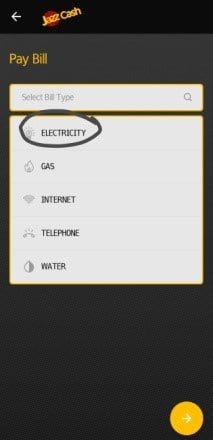
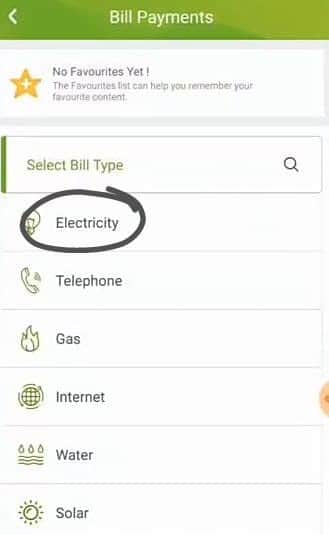
  • Select “Electricity”.

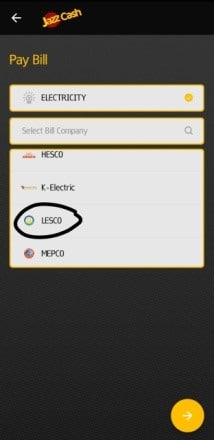
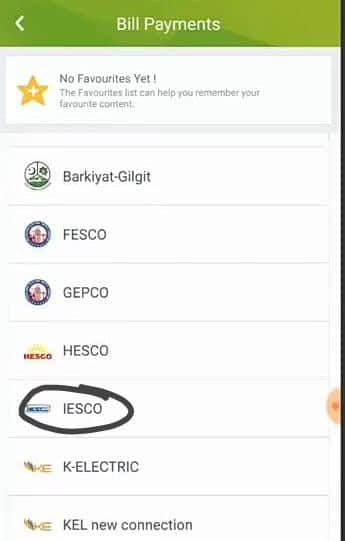
  • Select LESCO from bill company list.

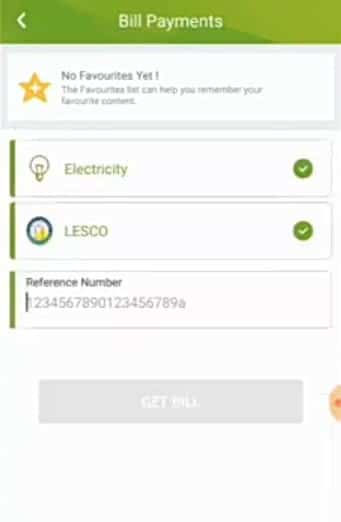
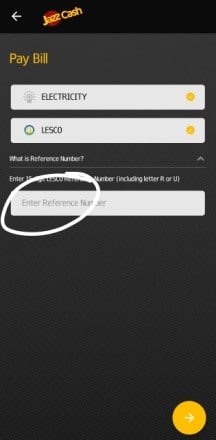
  • Enter reference number ( on the top left, of your electricity bill ) and proceed.
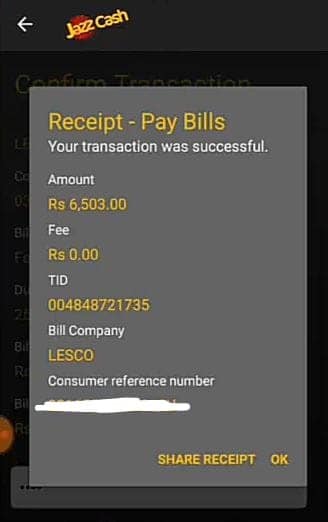
  • Enter your MPIN (see details) and click double tick icon for conformation.
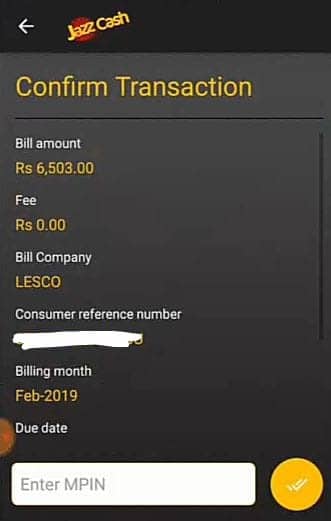
  • Paid successfully (you will get a message).
Easypaisa App

How to pay LESCO bills online via EasyPaisa app.

  • Install EasyPaisa app from the app store.
  • Login or create a new account.

  • Click “Pay Bills & Fees”.

  • Select “Electricity”.

  • Select “LESCO”.

  • Enter “Reference number”.

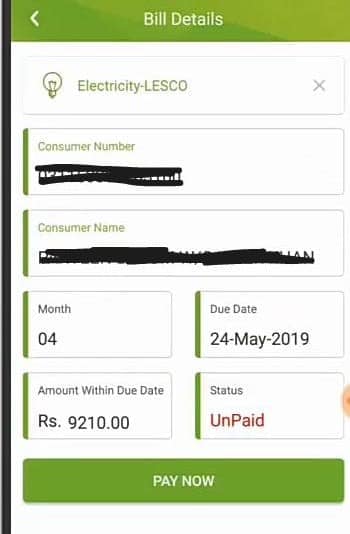
  • Then you will see “Bill details”, then click “Pay now”.
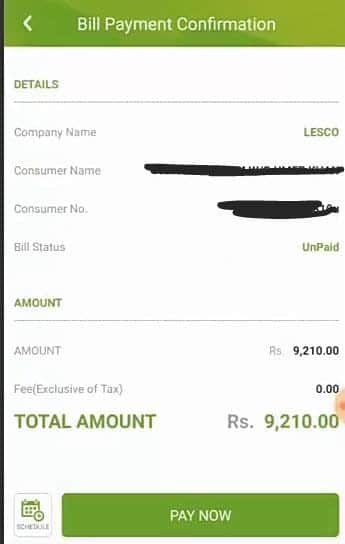
  • To confirm your bill payment then again click “Pay now”.
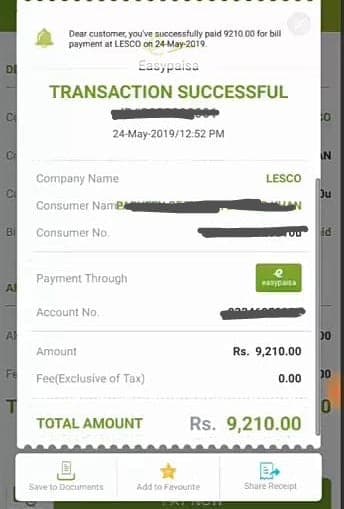
  • You will get a confirmation message on your phone number.


UBL Digital App

How to pay LESCO bills online via UBL Digital app.

[su_note note_color=”#fe9041″]NOTE: if you want to pay LESCO online bill from UBL Digital app, you would have UBL bank account first.[/su_note]

  • Install the UBL Digital app from the app store.
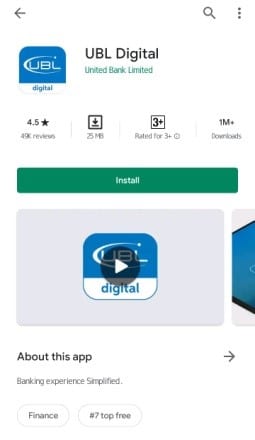
  • Login or create a new account.

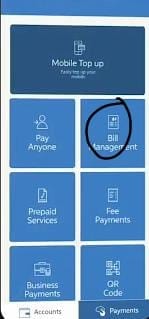
  • Click “Bill Management”.

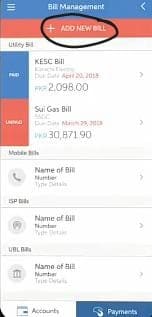
  • Click “Add new bill”. (at the top of the app)
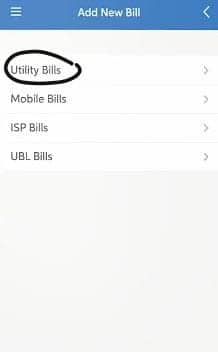
  • First, select “Utility Bills” then select company “LESCO”
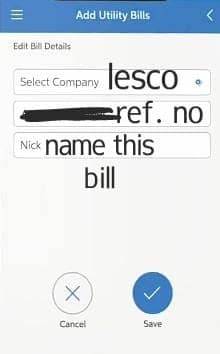
  • Add the reference number and save it with a name you want and then click “Blue Tick”.
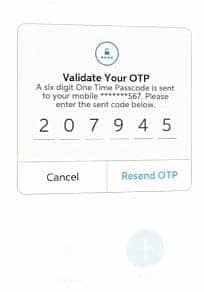
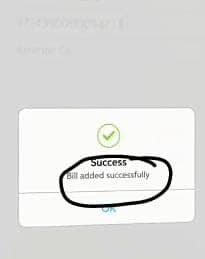
  • Validate your OTP ( sent to your mobile number ) and your bill added then.
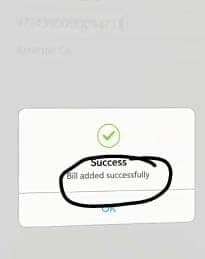
  • In “Bill Management” you will see a bill that you added by giving a name to it, open it.
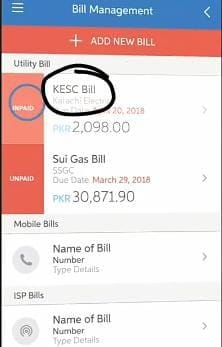
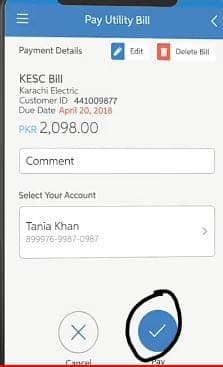
  • Add your comment and click “Pay”.

  • Confirm your payment and you are done ( A message will display by an app).
Except for these apps, many others can provide you with online bills payment service, but these are fast and reliable. Feel free to use any service which pleases you and you feel satisfied using that. Don’t forget to leave a review of any service which worked for you.
Related Articles:

LESCO Customer Services – Get Customer Support

LESCO Customer Services

If you are here to find out about lesco customer services where offices are present and how to get customer service from Lesco you are at right place. Just Click the button given below to get list of all address and phone numbers.

[su_divider]

[su_button url=”http://www.lesco.gov.pk/Modules/CustomerBill/CheckBill.asp” rel=”nofollow” target=”blank” size=”13″ wide=”yes” radius=”5″ icon=”icon: download”]Click Here to Check LESCO Duplicate Bill[/su_button]

[su_divider]

Get Lesco Customer Bill

If you want to chek lesco customer bill online and you have no idea where to check your bill. Simply follow the button given below and you will be sent to next page fill all required information and hit proceed button for checking you lesco bill.

[su_divider]

[su_button url=”http://www.lesco.gov.pk/Modules/CustomerBill/CheckBill.asp” rel=”nofollow” target=”blank” size=”13″ wide=”yes” radius=”5″ icon=”icon: download”]Click Here to Check LESCO Duplicate Bill[/su_button]

[su_divider]

How To get LESCO Customer Services

The purpose of customer service is the help customers to solve their problems. If you are here to get customer service simply at start of this page we have given a button. Press that and you will be sent to a page where you can get list of all offices for lesco services.

Where You Can Pay the Bill

Lesco bill can be paid in two way either offline you can visit any brank and simply pay your bill. Pay lesco bill online you can use any service like JazzCash, EasyPasa or similar. Even you can use any banking application to pay your wapda bill online.

Lesco Customer Bill

You can check any customer bill if you had the reference number of bill. Simply visit our online bill checking page for lesco and fill the information. If you don’t know where to find the page simply click the button given above.

Related Articles:

Lesco Tariff – All Rates You Need To Know

Do you know that LESCO has different tariffs for different connections depending upon the type of connection you are having? Well LESCO has 11 different TARIFFS for your Domestic, Commercial, Industrial and General Services.

LESCO TARIFF TYPES

Below are given all of the LESCO tariffs along with their types:

                TARIFF NAME                      TARIFF TYPE
A1 (01) DOMESTIC
A1 (03) DOMESTIC
A2 (04) COMMERCIAL
A2c(06)T COMMERCIAL
B1(07) INDUSTRIAL
B1(08) INDUSTRIAL
B1b(09)T INDUSTRIAL
B2a(10) INDUSTRIAL
B2a(11) INDUSTRIAL
B2b(12)T INDUSTRIAL
A3(66) GENERAL SERVICES


PEAK / OFF-PEAK TIMINGS

SEASON                         PEAK TIMINGS             OFF-PEAK TIMINGS

DEC-FEB                        5PM- 9PM                    REMAINING 20 HRS

MAR-MAY                     6PM-10PM                             -DO-

JUN-AUG                      7PM-11PM                             -DO-

SEPT-NOV                     6PM-10PM                             -DO-

LESCO ELECTRICITY UNIT PRICE

For Domestic users LESCO electricity unit price is as follows:

  • FIRST 100 UNITS PRICE = RS 12.90 / UNIT
  • AFTER 100 UNITS PRICE = RS 13.54 / UNIT

Related Articles: